

Plus777 App: Mobile Casino Access on Android and iPhone
Plus777 App keeps mobile account access close to the full casino lobby, with the same balance, bonuses, betting history, and payment options. Android users can install the APK, while iPhone users can stay in Safari without creating a separate account.
Plus777 App and Mobile Access
Mobile access is designed around one account rather than separate desktop and phone experiences. Log in through the App today and a mobile browser tomorrow, and the account itself does not change. The balance, active bonuses, transaction records, betting history, and connected payment methods remain tied to the same login.
That matters more than it may first appear. A player who deposits ₱2,000 from an Android phone, closes the App, and later signs in through Safari does not have to transfer money between versions or activate another wallet. Everything stays attached to the same account.
Plus777 mobile experience offers two practical routes:
- Android users can install the APK for direct App access.
- iPhone users can enter the mobile lobby through Safari.
- Android users who prefer not to install anything can also rely on browser access.
- Existing credentials continue to work across supported mobile access methods.
Installing the App changes how the account is opened. It does not create a second account, second balance, or separate game library.
That distinction is useful for anyone switching phones or deciding whether an APK is necessary in the first place.
Plus777 App Specifications
The current demonstration build is relatively modest in size for an App connected to a large casino lobby.
| Specification | Details |
| App name | Plus777 |
| Version | 7.9.2 |
| Build | 79241 |
| APK size | 67.8 MB |
| Android requirement | Android 7.0 or newer |
| Recommended RAM | 3 GB+ |
| Installed storage | Approximately 145 MB |
| Last major update | July 18, 2026 |
| Language | English |
| Default currency | PHP |
Two numbers deserve attention before downloading: 67.8 MB and approximately 145 MB.
The APK download is 67.8 MB, but the App occupies more space after Android installs and unpacks its files. Someone with only 80 or 100 MB of free storage should therefore clear more room before starting.
The game catalogue itself is not packed into that 67.8 MB file. Titles are loaded through their respective game providers after login. That keeps the App smaller and also means the phone does not need to store hundreds of slots and live tables locally.
Installing the Plus777 App on Android
APK installation is slightly different from installing an App through Google Play, but the process is still straightforward when the correct file is used.
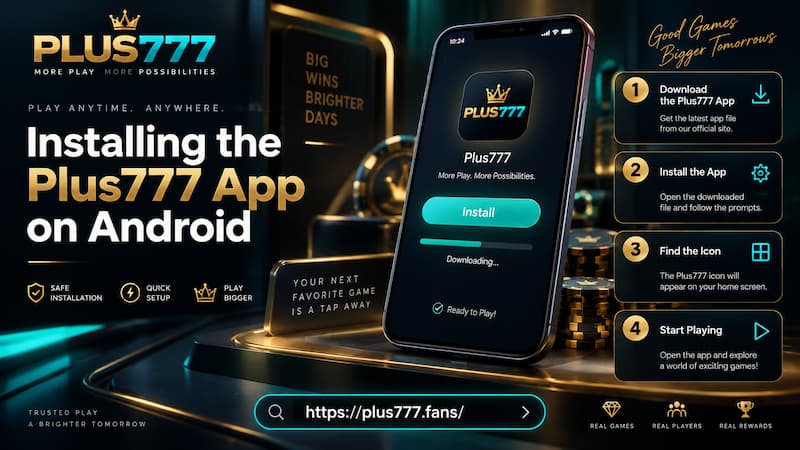
Installing the Plus777 App on Android
Download the APK
Start from the mobile download area rather than searching for random APK copies. Then:
- Open the Plus777 mobile download page.
- Tap Android Download.
- Allow the 67.8 MB APK to finish downloading.
- Open the completed download from the browser or Downloads folder.
- If Android asks for permission, allow that browser or file manager to install the APK.
- Tap Install.
- Open the App after installation.
- Sign in using the existing account credentials.
Android may display an installation permission prompt because the APK is being opened outside the standard Play Store route. On many newer Android versions, that permission is linked to the particular browser or file manager being used.
For example, downloading through Chrome may produce an Allow from this source request for Chrome. Giving that permission does not mean every unknown App receives automatic installation rights.
Check Storage Before Starting
The download itself is not the only storage requirement. The installed footprint is around 145 MB, and temporary files or cached game data can grow with normal use.
A phone with several gigabytes free will have no problem. A phone sitting at 99% storage capacity is a different story. Even if the APK downloads successfully, installation may fail or the App may behave poorly afterward.
Keeping some breathing room is better than calculating storage down to the final megabyte.
Plus777 on iPhone Through Safari
iPhone users do not need an Android APK. APK is an Android package format, so trying to install the same file on iOS is unnecessary.
Safari provides access to the mobile lobby and the major account functions remain available:
- Casino games
- Wallet balance
- Deposits
- Withdrawals
- Bonuses
- VIP information
- Referral tools
- Customer support
This makes browser access a sensible choice for occasional use. If someone opens the account once or twice a week, adding another App to the phone may offer little benefit.
Android users who log in several times a day may feel differently. A dedicated App removes repeated steps such as opening Chrome, finding the correct tab, searching browser history, or returning through a saved bookmark.
The better option depends less on game selection and more on personal routine.
App vs Mobile Browser
The App and mobile browser lead into the same account environment, but they suit different habits.
| Factor | Android App | Mobile Browser |
| Installation | Required | No |
| Local storage | Around 145 MB after installation | Minimal |
| Account balance | Same account | Same account |
| Bonuses | Available | Available |
| Games | Loaded online | Loaded online |
| Frequent access | Faster to reopen | Extra browser navigation |
| iPhone access | APK not used | Safari supported |
| Best suited to | Regular mobile use | Occasional access |
A player who checks the lobby during short breaks may appreciate having an App icon directly on the home screen. Someone using an iPhone, or an Android phone with limited storage, may prefer the browser and lose very little in terms of account access.
That is the practical difference. The choice is mostly about convenience, storage, and how often mobile access is needed.
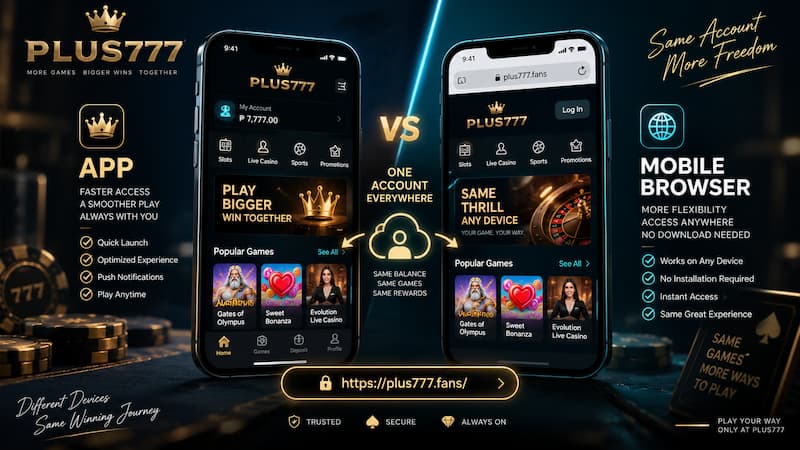
App vs Mobile Browser
Games, Wallet and Account Activity
Moving between the App and browser should feel like moving between two doors into the same account.
Suppose a player starts a session on Android, claims a bonus, checks the wallet, and then leaves home with only an iPhone available. Logging in through Safari later should still show the same balance and account activity because those records belong to the account rather than the installed App.
The same principle applies to:
- Deposit and withdrawal records
- Bonus progress
- Betting history
- VIP information
- Referral activity
- Account support
Casino titles also remain online rather than living permanently inside the phone. When a slot is opened, its resources are delivered through the game provider.
This design helps explain how an APK under 70 MB can provide access to a lobby containing far more content than could realistically fit inside that file.
Storage, RAM and Mobile Data
Android 7.0 is the minimum requirement for the current demonstration build, while 3 GB of RAM or more is recommended.
RAM and storage affect different parts of the experience.
Storage determines whether the App and its working files can remain on the phone. RAM affects how comfortably the phone can keep the App, browser processes, game content, and other background applications running at the same time.
An older Android device with 2 GB of RAM may still open lightweight content, but switching between games, messaging apps, and browsers can feel less comfortable than on a device with 3 GB or 4 GB.
Mobile data usage also depends heavily on the type of game.
Standard slot games mainly load graphics, sounds, animations, and game data. A stable 4G or 5G connection is generally sufficient.
Live casino tables are more demanding. A live baccarat or roulette session continuously receives video, so an unstable connection can produce buffering or visual interruptions even when simple slots work normally.
For longer live sessions, a stable Wi-Fi connection can therefore be more comfortable than relying on a weak mobile signal.
Checking the App Before Installation
APK installation deserves a little more attention than simply tapping the first download link available.
Before installing, check a few details:
- Confirm that the download comes from the intended Plus777 mobile page.
- Check that the App name matches Plus777.
- Compare the displayed version or build information when available.
- Make sure the phone has considerably more free space than the APK size alone.
- Avoid APK files received unexpectedly through private messages or unfamiliar download pages.
- Read Android permission prompts instead of approving every request automatically.
- Keep existing account credentials available before changing devices.
The permission check is particularly useful. A casino App naturally needs internet access. A request for an unrelated and unusually sensitive device permission should make the user stop and check what is being installed before continuing.
That simple habit is more useful than treating every APK as dangerous or, at the other extreme, installing every file without checking its source.
Choosing the Right Mobile Setup
There is no need to force every mobile user into the same setup.
For frequent Android access, the App makes sense because it creates a direct route back into the lobby. The storage requirement is manageable on most modern phones, and the 67.8 MB download is small compared with many entertainment Apps.
Browser access remains attractive when storage is limited, mobile use is occasional, or the account is being opened from an iPhone.
A useful rule is simple:
Choose the App for repeated Android use. Choose the browser when flexibility and zero installation matter more.
Either way, account continuity is the key point. The mobile method can change without forcing the player to rebuild the account experience from zero.