

Plus777 Deposit: GCash, Maya, Crypto and Funding Limits
Deposit at Plus777 is the point where your account balance becomes ready for play. The cashier offers several funding options, including GCashQR, GCash, Maya, and cryptocurrency, with clear amount choices and visible deposit limits. The useful part is not simply knowing which methods exist, but choosing the route that fits the amount, wallet, and payment habits already in use.
Plus777 Deposit Methods
Inside Plus777 cashier, Deposit is divided into two main routes: Online deposit and Cryptocurrency. For everyday Peso transactions, the Online deposit tab keeps the choices familiar with GCashQR, GCash, and Maya.
The current Online deposit options are:
- GCashQR: QR-based payment through a compatible wallet
- GCash: Direct funding through a GCash account
- Maya: Deposit using a Maya wallet
- Cryptocurrency: A separate route for users funding from a crypto wallet
GCashQR, GCash, and Maya currently carry a displayed +0.5% add-on. That may catch the eye first, but it should not be the only reason for choosing a method. Convenience usually matters more.
If money is already sitting in GCash, moving it to Maya just to make a Deposit adds another unnecessary transaction. The same logic works in reverse. A payment route is at its best when it removes steps rather than creating them.
The choice also affects how easy it is to track a transaction afterward. E-wallet payments normally leave a recognizable payment history and reference number. Cryptocurrency needs more care because the wallet address and network have to match before anything is sent.
The simplest Deposit is usually the one that starts from an already funded, verified wallet and reaches the cashier without an extra transfer in between.
GCashQR, GCash and Maya
The three Online deposit options serve a similar purpose, but the experience is not identical.
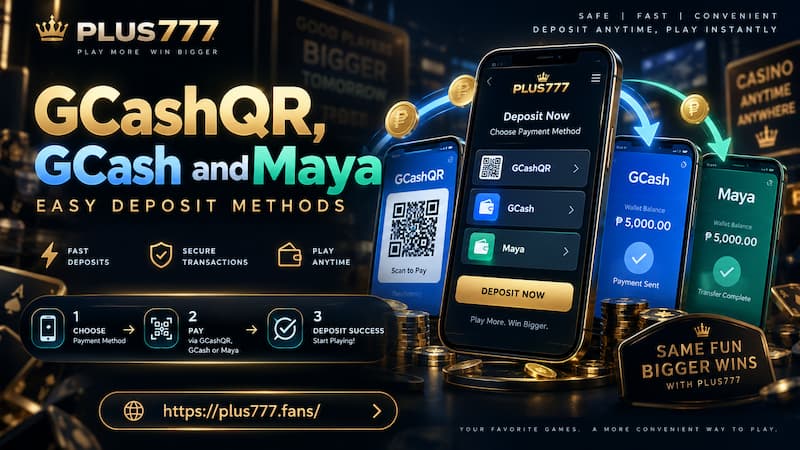
GCashQR, GCash and Maya
GCashQR
GCashQR suits users who prefer scanning rather than typing or switching through several payment screens. Once the QR is generated for the current Deposit, the important check happens before approval: Make sure the amount shown in the wallet matches the amount entered in the cashier.
QR payments are fast to handle because there is little information to enter manually, but that convenience can encourage people to rush. A QR generated for one payment session should not be treated like a permanent payment address.
For a clean transaction:
- Generate the QR from the current Deposit request.
- Scan it directly through the supported wallet.
- Confirm the amount before approving.
- Keep the successful transaction record until the balance updates.
Avoid making another identical Deposit simply because the balance does not change the second the payment is completed.
GCash
GCash is the natural choice when the account is already funded there. There is little benefit in adding an extra wallet transfer when the money is already in the place needed to complete the payment.
Before entering a larger Deposit, check two balances rather than one: The Plus777 amount being requested and the amount actually available in GCash.
Personal GCash limits can also matter. A Deposit amount may be available in the cashier while the wallet itself has different account, transaction, or verification limits. Checking those first prevents the frustrating situation where the Deposit is prepared but cannot be completed.
Once payment succeeds, retain the GCash reference number until the Plus777 balance reflects the transaction.
Maya
Maya offers another straightforward Peso funding route. For someone who already keeps funds in Maya, it can be cleaner than moving money into GCash first.
The same practical rule applies here: Choose based on where the money already is.
That sounds obvious, but it makes a noticeable difference with repeated Deposits. Constantly moving funds between wallets creates more transaction records to follow, more chances to enter the wrong amount, and sometimes additional wallet restrictions.
For a ₱1,000 Deposit, for example, transferring ₱1,000 from Maya to another service first just to return it to the cashier adds effort without improving the Deposit itself.
Deposit Limits and the +0.5% Add-On
The current Online deposit field accepts amounts from ₱100 to ₱50,000.
Several preset buttons make common amounts faster to select:
| Deposit amount | Displayed +0.5% |
| ₱100 | ₱0.50 |
| ₱300 | ₱1.50 |
| ₱500 | ₱2.50 |
| ₱1,000 | ₱5.00 |
| ₱3,000 | ₱15.00 |
| ₱5,000 | ₱25.00 |
| ₱10,000 | ₱50.00 |
| ₱50,000 | ₱250.00 |
The useful detail here is how little the percentage changes the decision.
A ₱500 Deposit adds ₱2.50 at 0.5%. A ₱10,000 Deposit displays ₱50. Even at the ₱50,000 upper end, the difference is ₱250.
That makes the sensible approach fairly clear: Set the Deposit amount according to the intended gaming budget, not according to the size of the displayed extra.
Increasing a planned ₱5,000 Deposit to ₱10,000 purely to turn a ₱25 addition into ₱50 means committing another ₱5,000 to gain only another ₱25.
The percentage can still be a pleasant extra. It just should not control the size of the transaction.
Any bonus or added amount should also be checked against its current conditions. A number added to the balance does not automatically mean it can be withdrawn immediately. If wagering, turnover, or promotion rules are attached, those rules matter more than the percentage printed beside the payment method.
How to Make a Deposit
The Online deposit process is designed to stay short.
- Log in and open Deposit.
- Select the Online deposit tab.
- Choose GCashQR, GCash, or Maya.
- Enter an amount between ₱100 and ₱50,000, or use one of the preset buttons.
- Check the Deposit amount and any displayed add-on.
- Continue to the payment instructions for the selected method.
- Complete the payment through the wallet.
- Return to the account and confirm that the balance has updated.
The last step deserves more attention than it normally gets.
Once the wallet marks a transaction as successful, repeating the payment should not be the first reaction if the balance takes time to refresh. That can turn one pending Deposit into two completed Deposits.
Keep the transaction record until the money appears. A successful GCash or Maya reference number is much more useful than trying to remember an approximate time and amount later.
Cryptocurrency Deposit
Cryptocurrency sits in its own Deposit tab because the payment process involves a different set of checks.
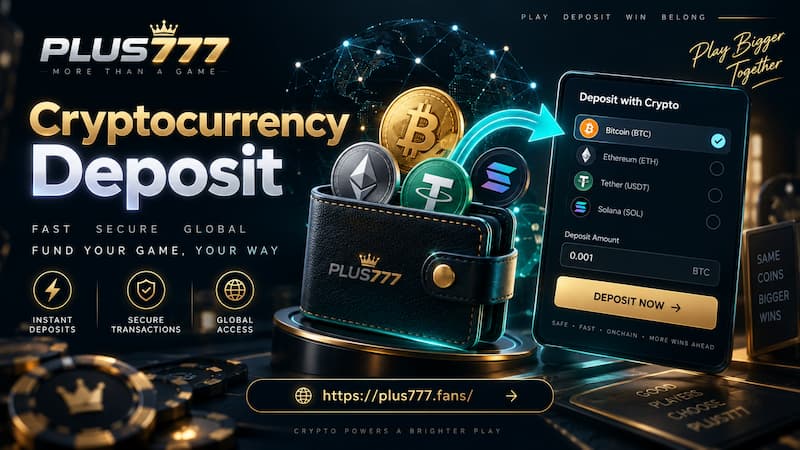
Cryptocurrency Deposit
Before sending crypto, confirm:
- Supported coin or token
- Correct blockchain network
- Deposit address
- Minimum amount
- Required network confirmations
- Wallet or network fee
These details should be taken from the active Cryptocurrency Deposit screen at the moment of payment. Crypto networks, supported assets, and wallet instructions can change, so an old screenshot or copied address is a poor substitute for the current Deposit information.
The biggest difference is recoverability.
With GCash or Maya, a completed payment leaves a provider-side record that can be checked against the Deposit. Crypto transfers are recorded on-chain, but sending funds through the wrong network or to the wrong address can create a much harder problem.
For example, seeing the same token name in two wallets does not automatically mean both are using the same blockchain network. The network shown before sending needs to match the network required for the Deposit, a point that is especially important when dealing with USDT payments.
Crypto is convenient when the funds are already held in a compatible wallet. It becomes less convenient when coins have to be purchased, transferred, converted, and then sent again just to reach the cashier.
Check the Deposit Before Confirming
A few seconds spent checking the transaction can prevent most avoidable Deposit mistakes.
Amount
Preset buttons are convenient, but convenience should not decide the budget.
If ₱1,000 is the intended Deposit, selecting ₱3,000 because the button is nearby changes the amount by ₱2,000. Check the final figure before moving to the payment stage.
Payment Method
Use the same wallet and route selected in the current cashier session. With QR payments, generate a fresh QR when starting a new transaction rather than reusing an image saved from an earlier Deposit.
Bonus Conditions
The displayed +0.5% is easy to understand mathematically, but the rules attached to promotional value should still be checked before assuming the entire resulting balance is immediately withdrawable.
The promotion should support a Deposit decision, not replace one.
Wallet Limits
The cashier limit and the wallet limit are separate things.
A ₱50,000 option being available does not guarantee that every GCash or Maya account can send ₱50,000 in the same transaction. Wallet verification level, daily usage, and existing transactions may affect what can be completed.
Missing or Pending Deposit
A completed payment that has not yet appeared in the balance should be handled methodically.
First, identify whether the money actually left the wallet.
If GCash or Maya reports the payment as failed and no funds were deducted, a new attempt may be appropriate. If the wallet marks it as successful, repeating the Deposit immediately is a different story.
For a successful payment that has not appeared, keep:
- Deposit amount
- Payment method
- Transaction or reference number
- Date and time
- Screenshot or payment confirmation if available
Then check the balance again before starting another transaction.
If the Deposit remains missing, those details give support something concrete to trace.
The distinction is simple but important:
- Failed payment: Money was not successfully sent.
- Pending Deposit: Money was sent, but the account balance has not yet reflected it.
Treating both situations the same can create duplicate transactions.